Font smoothing
To make the font smoothing we have added this code below in the project settings "Head Code" section.
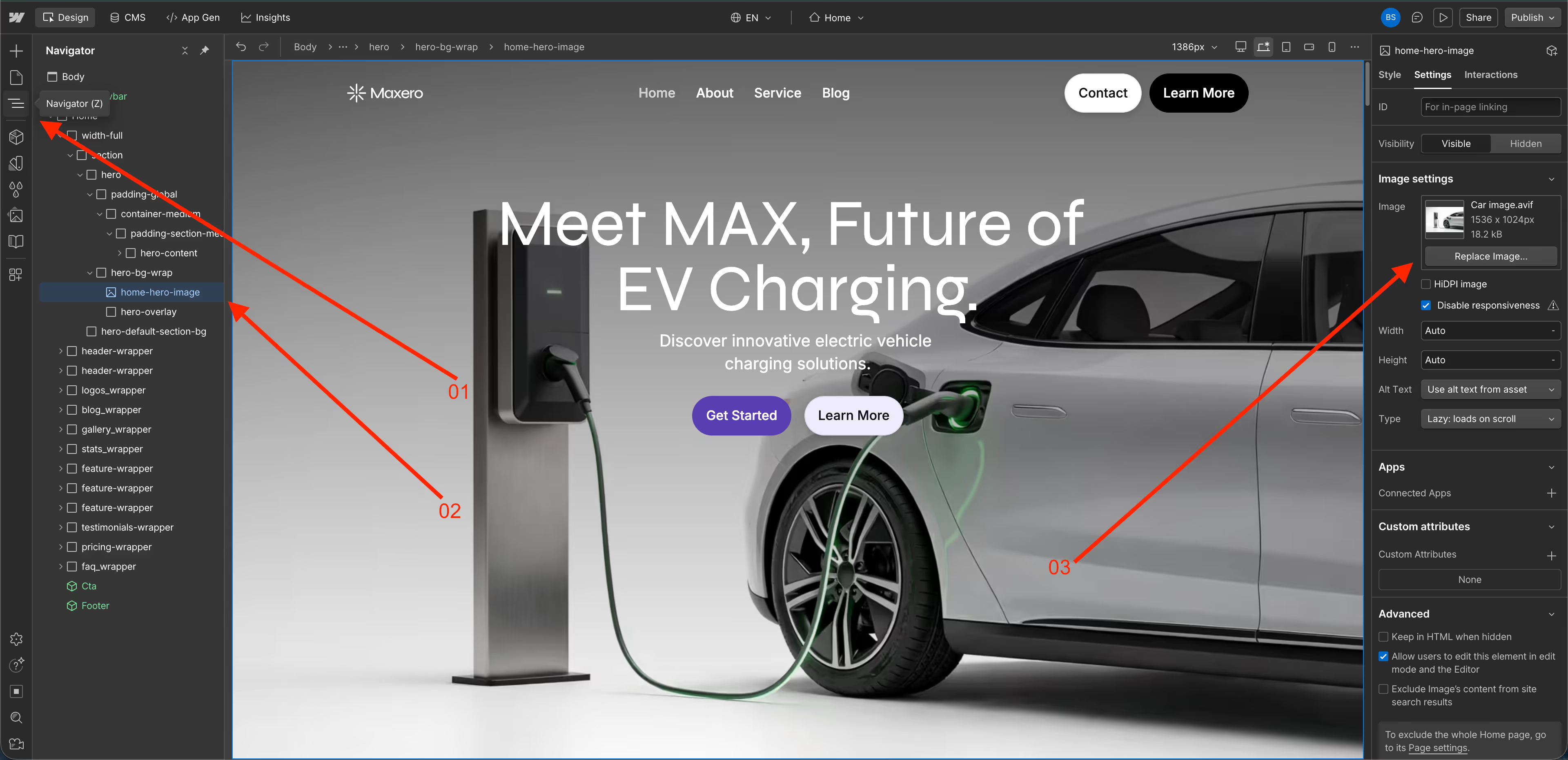
Changing Hero Dashboard Image- Step-by-Step Guide
1. Click the Navigator
2. Go to hero-home-image
3. Replace the current car image with your preferred image.
Enjoy :)